How to run a Railway sandbox
A step-by-step process for creating a sandbox with Railway and running commands inside it.

David Tice
Head of Product ·
Railway is a cloud platform for deploying and running applications and infrastructure. With ComputeSDK, you can use Railway's sandbox environments to run isolated, ephemeral compute alongside anything else you already run on Railway. Let's walk through the process of creating a Railway sandbox and running commands inside it.
Why use Railway as your sandbox provider?
- Railway sandboxes are ephemeral compute instances backed by the same infrastructure as your Railway deployments.
- They're a great fit if you're already running services on Railway and want sandboxes living in the same project and environment.
- Railway offers simple, predictable compute pricing.
A note before you start: Railway sandboxes don't currently support ComputeSDK's
getUrl()— it throws, since Railway sandboxes can't expose ports or public URLs.filesystemoperations are fully supported (implemented over the shell). This guide verifies things by running a command inside the sandbox instead of opening a live browser preview — if you need a public preview URL, E2B, Daytona, CodeSandbox, Blaxel, Hopx, Runloop, and Modal all support it.
Let's see how we can create a Railway sandbox and run a Vite dev server inside it.
Let's start by creating a new Next.js project
Run this command in your terminal:
npx create-next-app@latest railway-basicYou can use all of the defaults when prompted.
Create an .env file
Once it has been created, be sure to create an .env file to add your necessary credentials to.
RAILWAY_API_TOKEN=your_railway_api_token
RAILWAY_ENVIRONMENT_ID=your_railway_environment_id
Install ComputeSDK and the Railway provider
ComputeSDK ships as a small core package plus one package per provider, so you only install what you use.
Requires Node.js >= 22 — the underlying
railwaySDK depends on Node 22 APIs (e.g. globalWebSocket).
cd railway-basic
npm install computesdk @computesdk/railway
Create or log in to your Railway account
Create a Railway account or log in here.
Once you have created an account, you'll need to gather two credentials:
- API Token: Create one at railway.com/account/tokens.
- Environment ID: Every Railway project has at least one environment. If you don't already have a project, create one — any option works, an empty project is fine.
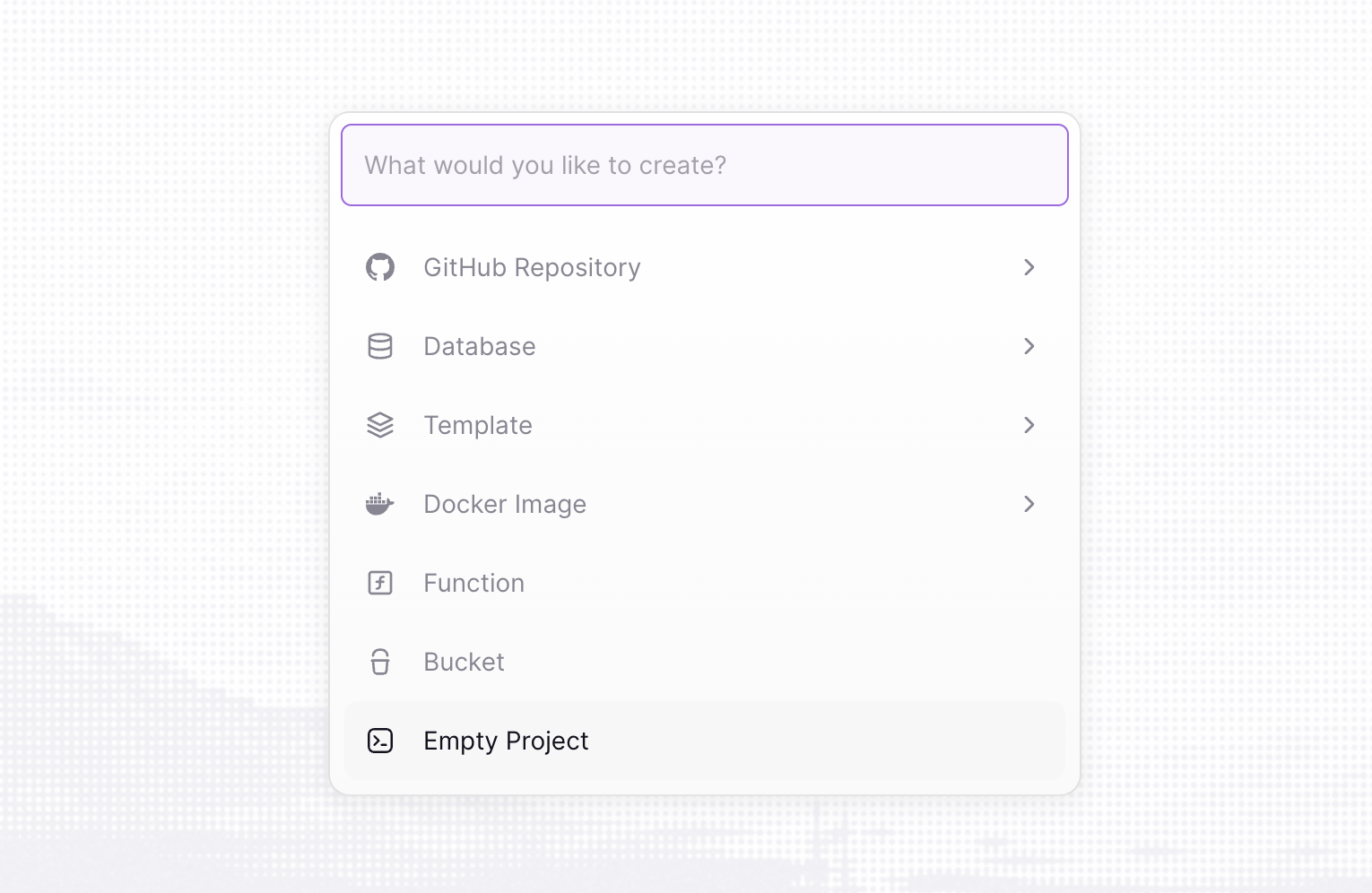
Find your environment ID in your project's environment settings, or in the URL when viewing a project:
https://railway.com/project/{PROJECT_ID}/settings?environmentId={ENVIRONMENT_ID}
Save these values in your .env file.
RAILWAY_API_TOKEN=your_railway_api_token
RAILWAY_ENVIRONMENT_ID=your_railway_environment_id
Now we'll move on to creating the actual sandbox logic
We need to create the API route to create the sandbox
Import the railway factory from @computesdk/railway and pass it your credentials. compute.sandbox.create() provisions a sandbox on Railway.
Create a new route.ts file in app/api/sandbox and paste the following code:
// app/api/sandbox/route.ts
import { NextResponse } from 'next/server';
import { railway } from '@computesdk/railway';

const compute = railway({
  token: process.env.RAILWAY_API_TOKEN,
  environmentId: process.env.RAILWAY_ENVIRONMENT_ID,
});

export async function POST() {

  const sandbox = await compute.sandbox.create();

  return NextResponse.json({
    sandboxId: sandbox.sandboxId,
  });
}
Next, we'll edit the page.tsx file
We'll keep it simple and just add one button to run our sandbox test with.
Replace the content on Page.tsx with this code:
// app/page.tsx
'use client';

export default function Home() {
  const createSandbox = async () => {
    const res = await fetch('/api/sandbox', { method: 'POST' });
    const data = await res.json();
    console.log(data);
  };

  return (
    <div className="flex min-h-screen flex-col items-center justify-center p-24">
      <h1 className="mb-8 text-4xl font-bold">ComputeSDK Sandbox Test</h1>
      <button
        className="rounded bg-blue-500 px-4 py-2 font-bold text-white hover:bg-blue-700"
        type="button"
        onClick={createSandbox}
      >
        Create Railway sandbox
      </button>
    </div>
  );
}
Now, our first test
Run npm run dev in your terminal to start the dev server.
Open localhost:3000
Click the button on the main page.
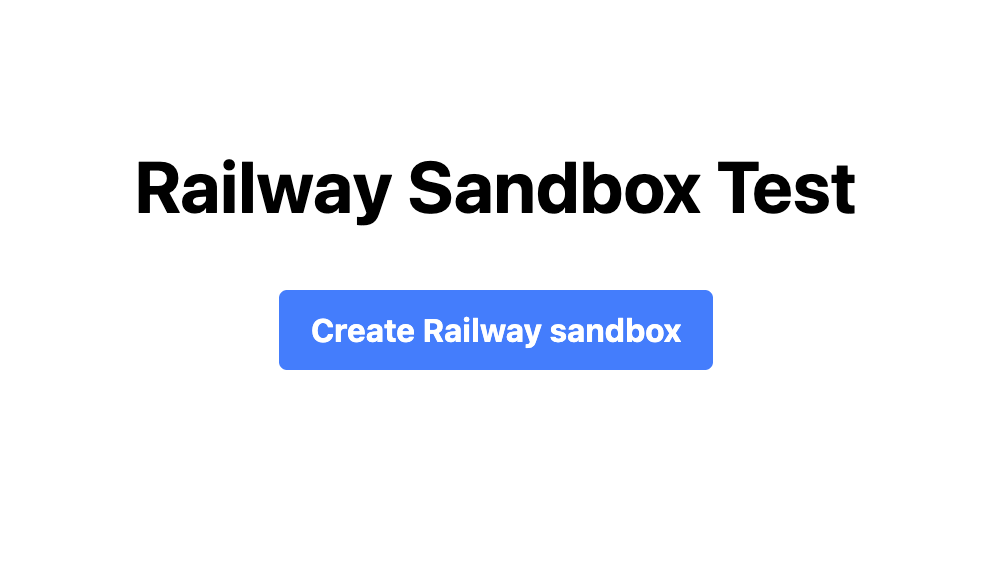
Then check your Railway dashboard.
You should see a new sandbox created!
Success!
You've successfully created your first Railway sandbox
If you want to use another sandbox provider like E2B or Daytona, swap the import and factory call — install @computesdk/e2b and use import { e2b } from '@computesdk/e2b' instead, with that provider's own credentials. The rest of your code (runCommand, filesystem) stays the same — that's the point of the universal Sandbox interface.
Making changes within the sandbox
Now, let's take the next step and run a Vite dev server inside our sandbox — and since Railway doesn't support getUrl(), confirm it's actually running by curling it from inside the sandbox.
Update /api/sandbox/route.ts
Add the following to your app/api/sandbox/route.ts file directly below this in your code:
const sandbox = await compute.sandbox.create();Create a basic Vite app inside our sandbox subfolder
// Scaffold Vite React app
await sandbox.runCommand('npm create vite@5 app -- --template react');
Run npm install using the runCommand method
cwd is an optional per-call override — if you don't pass one, commands run in whatever Railway's own sandbox default working directory is. We pass cwd: 'app' here simply because that's the subfolder we just scaffolded the Vite project into.
  // Install dependencies
  await sandbox.runCommand('npm install', {
    cwd: 'app',
  })
Start local dev server in the background with runCommand
  // Start dev server, binding to 0.0.0.0 so we can reach it from inside the sandbox
  sandbox.runCommand('npm run dev -- --host 0.0.0.0 > vite.log 2>&1', {
    cwd: 'app',
  });
Confirm the dev server is running with a curl check
Since Railway's getUrl() throws (no port exposure API), we verify the server is up by running a command inside the sandbox instead of returning a public preview URL.
  // Give the dev server a moment to start, then check it from inside the sandbox
  await new Promise((resolve) => setTimeout(resolve, 3000));
  const healthCheck = await sandbox.runCommand(
    'curl -s -o /dev/null -w "%{http_code}" http://localhost:5173',
    { cwd: 'app' }
  );
  console.log('Vite dev server HTTP status:', healthCheck.stdout);
Return the sandboxId and health check result
  return NextResponse.json({
    sandboxId: sandbox.sandboxId,
    viteStatus: healthCheck.stdout,
  });
Finished route.ts file
Your /app/api/sandbox/route.ts file should look like this now:
import { NextResponse } from 'next/server';
import { railway } from '@computesdk/railway';

const compute = railway({
  token: process.env.RAILWAY_API_TOKEN,
  environmentId: process.env.RAILWAY_ENVIRONMENT_ID,
});

export async function POST() {

  const sandbox = await compute.sandbox.create();

  // Create basic Vite React app
  await sandbox.runCommand('npm create vite@5 app -- --template react');

  // Install dependencies
  await sandbox.runCommand('npm install', {
    cwd: 'app',
  })

  // Start dev server, binding to 0.0.0.0 so we can reach it from inside the sandbox
  sandbox.runCommand('npm run dev -- --host 0.0.0.0 > vite.log 2>&1', {
    cwd: 'app',
  });

  // Give the dev server a moment to start, then check it from inside the sandbox
  await new Promise((resolve) => setTimeout(resolve, 3000));
  const healthCheck = await sandbox.runCommand(
    'curl -s -o /dev/null -w "%{http_code}" http://localhost:5173',
    { cwd: 'app' }
  );
  console.log('Vite dev server HTTP status:', healthCheck.stdout);

  return NextResponse.json({
    sandboxId: sandbox.sandboxId,
    viteStatus: healthCheck.stdout,
  });
}
Testing it out
Now, after you click the "Create Railway Sandbox" button on your localhost homepage you should:
- See a new sandbox created in your Railway dashboard.
- See
Vite dev server HTTP status: 200logged to your terminal, andviteStatus: "200"in the JSON response — confirming the Vite dev server booted successfully inside the sandbox.
There's no live browser preview in this guide — Railway sandboxes don't currently expose ports or a public URL through ComputeSDK. If your use case needs a live preview, E2B, Daytona, CodeSandbox, Blaxel, Hopx, Runloop, or Modal are all better fits today.
Congrats! You've successfully created your first sandbox application
You have done the following:
- created a Railway sandbox with ComputeSDK
- used our runCommand and filesystem methods (these work with any provider that supports them)
- ran a Vite dev server inside the sandbox and confirmed it booted successfully
- confirmed what Railway sandboxes do and don't support today (no
getUrl,filesystemworks)
ComputeSDK makes it easy to standardize this process across providers.
So now that you've written this code for Railway, you can easily adjust this code to run in any sandbox provider — and if you need a live preview URL, swapping to a provider that supports it is a one-line import change.
Happy Sandboxing!
Have questions?
Want to be added as a provider?
Reach out to us at support@computesdk.com
Questions or thoughts on this post?
Join the conversation on X